I found it odd I wasn’t able to locate standard node information from the Graylog dashboard under ‘System/Nodes’. After some research I found that you can locate your Graylog Node name (and additional information regarding your cluster) by navigating to the following page:
|
1 |
http://localhost:9200/_plugin/kopf/#!/nodes |
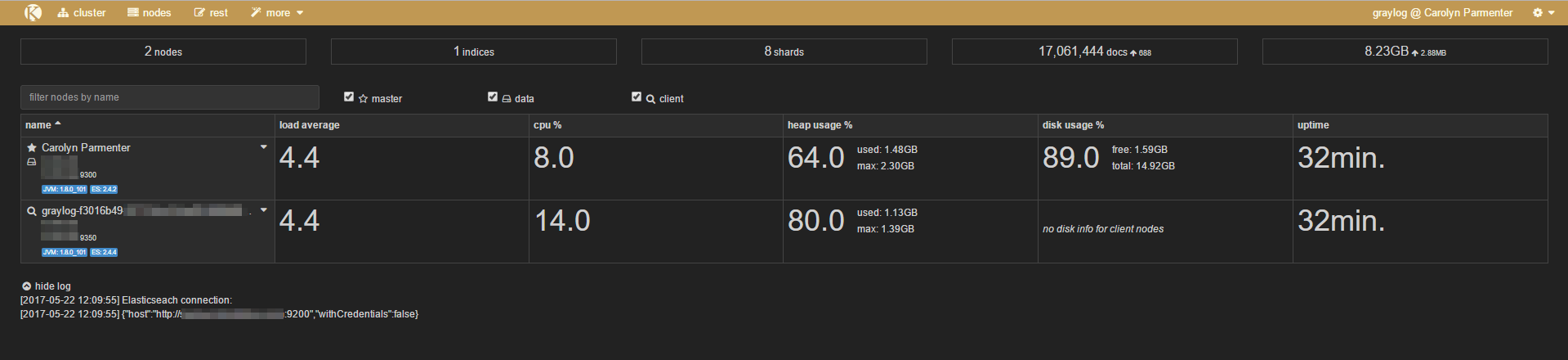
You can navigate through the page to find additional information as well, for example:
- Create index
- Cluster settings
- aliases
- analysis
- percolator
- warmers
- snapshot
- index templates
- cat apis
- hot threads
- notes
- rest
- shard stats

Latest posts by Mr-Moo (see all)
- Setting up Portainer on Synology NAS via Compose - February 28, 2025
- ERP Logistics Integration - October 22, 2024
- Mobile Device Management Consulting Services - September 22, 2024